— This upcoming video may not be available to view yet.
When I first wrote Worth your time, what I actually had in mind was sharing details of wikis that were suitable alternatives to the ones on Fandom. So, as a starter, here are some specific ones I care about and have used:
Besides Wikipedia, the first wiki I ever cared about greatly was Memory Alpha, the wiki for canon Star Trek. The ad filled nightmare it has become is quite saddening. The best choice is to support wikis that are better behaved (like the ones above). If that isn’t possible there is a site called BreezeWiki that displays the content from Fandom wikis that “removes ads, videos, and suggested content, leaving you with a clean page that doesn’t slow down your device or use up your data”.
Another alternative which I have not investigated, but came up during my research is Indie Wiki Buddy, a browser extension that notifies you of independent wikis whenever you visit a supported Fandom wiki (and supports falling back to BreezeWiki when it is not available).
Apparently, not only is it still maintained, but I honestly think it is doing better now than when I first paid attention to it. So this is me doing my part to demonstrate continued community interest where I can.
What’s happening now
MonoGame is backed by the MonoGame Foundation, which keeps the project going as a community-governed open source effort rather than relying on a single corporate sponsor.
More recently, the team launched MonoGame Hub, a new tool primarily to “accelerate the creation of MonoGame projects” while also providing access to news, tutorials, and community resources.
There is also a YouTube channel with regular livestreamed coding sessions that are worth checking out if you want to see the framework in action.
MonoGame does not have the recognition of the bigger engines, even the ones often associated with indie development like Unity or Godot. But it has been used to build a remarkable number of well-known games.
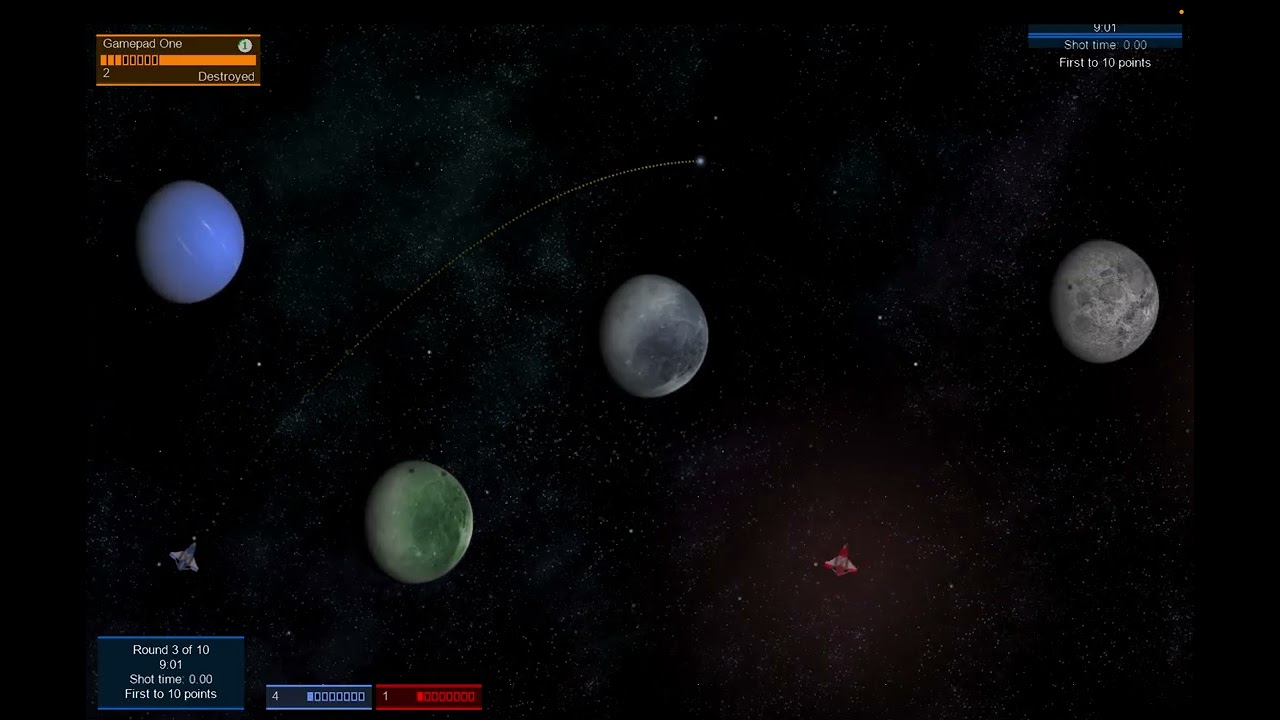
Gravitas is a gravity-simulating space game I originally released on Xbox Live Indie Games, and developed using XNA.
Nearly six years ago I spent a few hours porting the game to MonoGame, but never took it further.
I recently decided to try and revive it, again. This time it took less than an hour to update it to MonoGame 3.8.5 and .NET 10.
As a small aside, my day job is mainly as an iOS developer. I’ve spent a lot of time working on CI and doing a lot of work to optimize the build time. Every job I’ve done that has involved mobile development has had problems with slow build times - that’s why things like hot reload and previews are so important.
A clean build of Gravitas on my Mac takes just two seconds.
Things to do
Before I can actually release it, there are some things I need to do.
Some issues are either because of the XNA to MonoGame porting, or just evolution in MonoGame:
Broken match options screen.
Weird duplicate UI in game.
Some issues that were in the original release that I always wanted to deal with:
Camera zooms in and out too quickly.
Some text hangs off the screen.
Some scoring glitches - you can get a double kill when the second kill is a suicide.
There are practical considerations about releasing it on more than just an Xbox:
— This upcoming video may not be available to view yet.
“Ex astris scientia” is a Latin phrase meaning “knowledge from the stars” and is the slogan for Starfleet Academy, in Star Trek.
It is also the name of what is probably the best Star Trek fan site there is. And honestly, “fan site” does not really do it justice.
Ex Astris Scientia is Bernd Schneider’s Star Trek reference site. It has been running since 1998, which means it’s also probably one of the oldest Trek sites still actively maintained.
A detailed timeline of Star Trek across all the series.
But the sort of content that I find more interesting, and what made it first stand out for me, is a bit weirder.
For example, in Star Trek The Next Generation, captain Picard often had a book of Shakespeare open in his ready room. Did you know that the page it was opened on was usually different?
— This upcoming video may not be available to view yet.
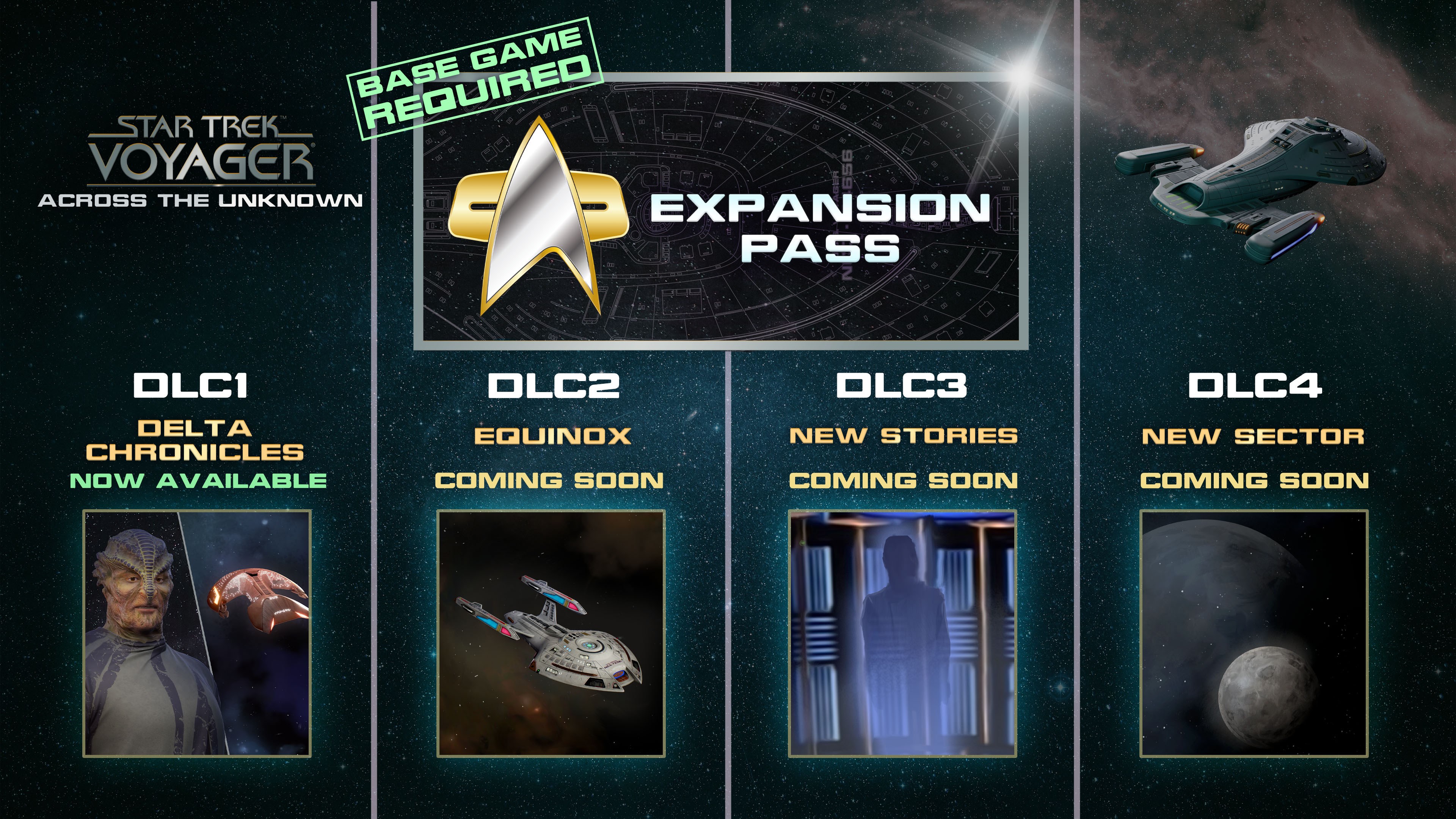
Daedalic Entertainment and Gamexcite have announced downloadable content for Star Trek: Voyager - Across the Unknown, including some that is already out now.
In my earlier post about the base game, I noted a few things I’d like to see in a DLC. Very little detail has been confirmed and I don’t really expect much of the specifics of my suggestions to make it.
However, one thing has been confirmed: a mode featuring the U.S.S. Equinox. And honestly I’m happy to see any extra support.
The first DLC is available now with the rest coming throughout the year. Hopefully if it is successful, there will be more.
DLC 1: Delta Chronicles – available now.
New missions, recruitable heroes, six new technologies and four NPC ships.
DLC 2: U.S.S. Equinox - soon
Contains a completely new, playable ship along with crew, technology and more.
DLC 3: later this year
Contains more missions, heroes, technologies and NPC ships.
DLC 4: New sector - later this year
Contains a whole new sector with storyline, missions, characters, NPC ships and technologies.
Both were inspired by the content of Gary Rosenzweig’s Advanced Lingo for Games book. But where Supremacy was a slight refinement and rebranding of a complete game, Q War takes one behaviour (the implementation of the bullet sprites from both the “Space Invaders” and “Space Rocks” games) and builds a different game, complete with “original” graphics.
I believe I worked on Supremacy first as a learning exercise, and then started Q War. But I made Q War available first. The only hard evidence I have is the remains of the Shocklive! site in 2001:
8th February - Site created! Q War, a two level action shooter is playable
18th February - A Completely re-done Q War has been uploaded!
14th March - Supremacy, a new fun strategy game is now available!
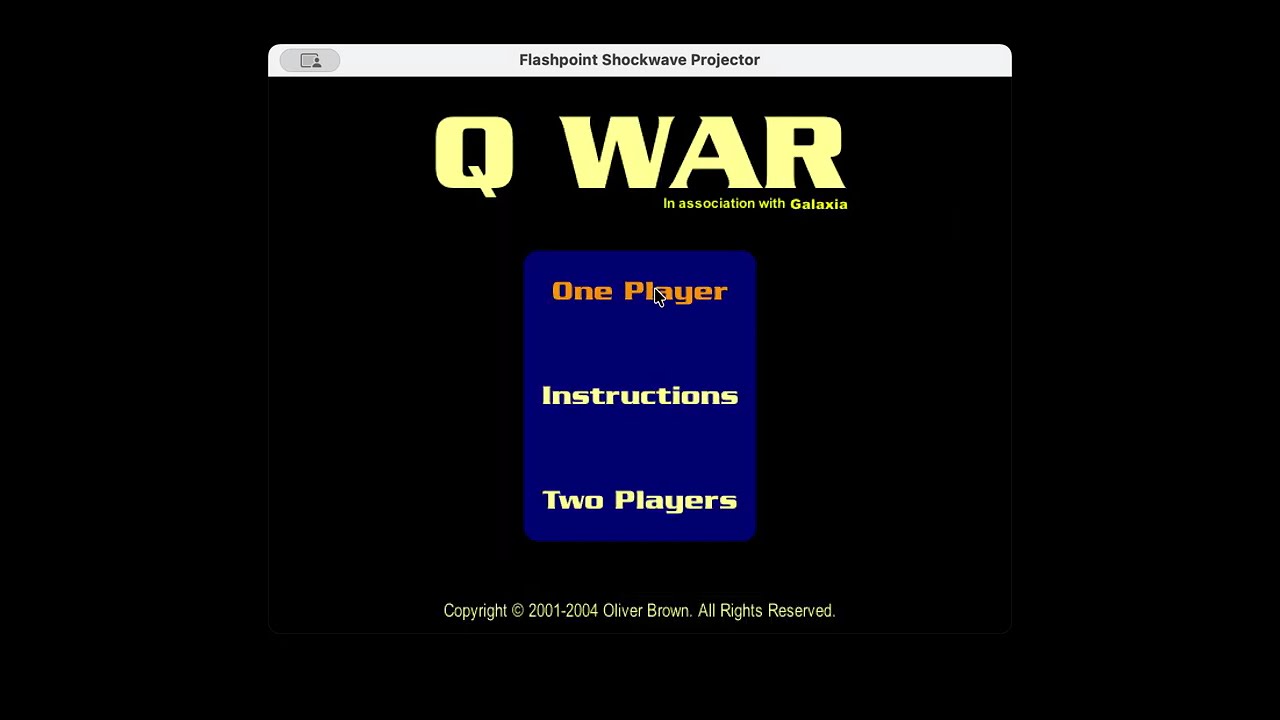
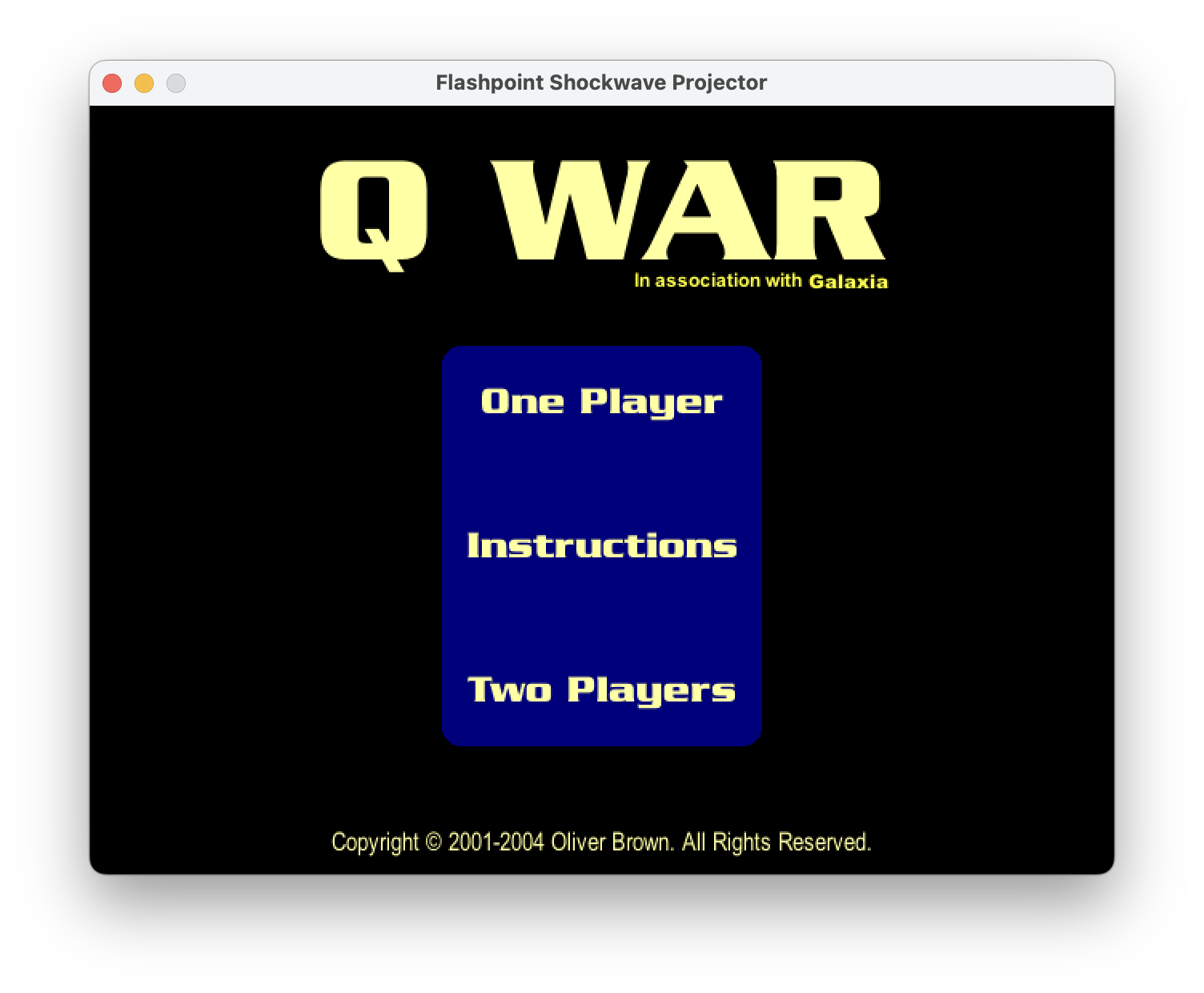
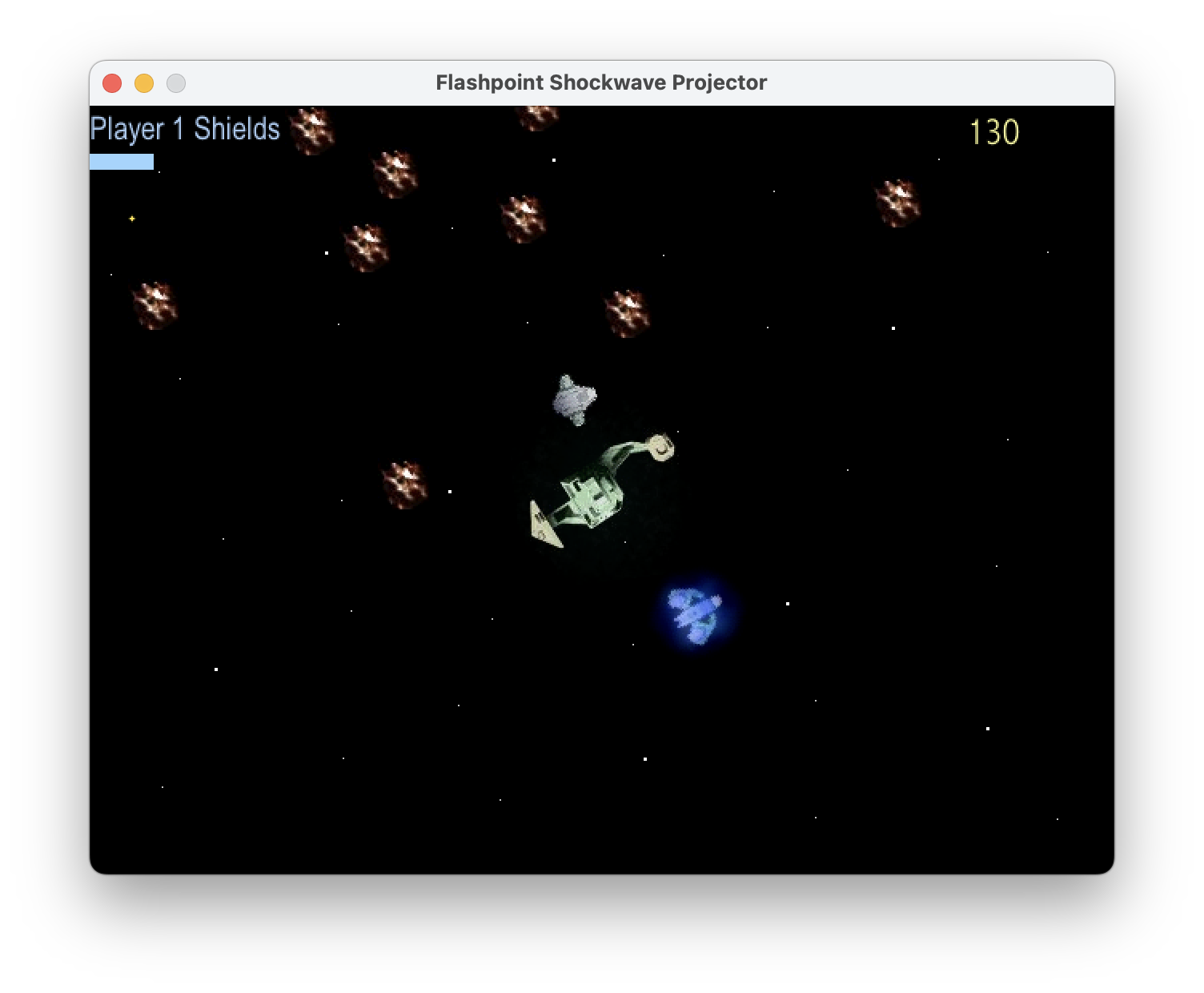
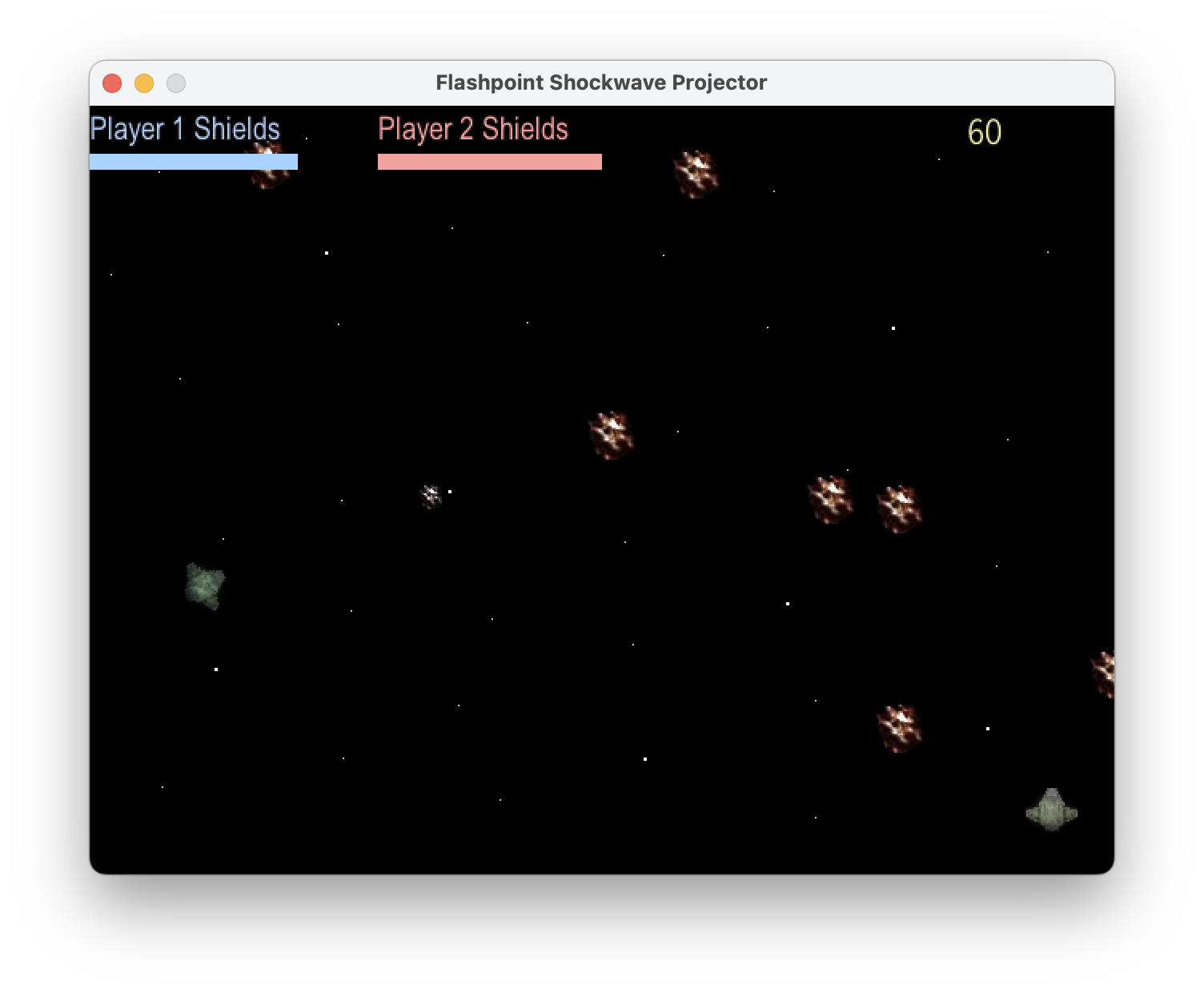
Each level puts you in control of a ship that can fly around and shoot, with limited shields that deplete as you take fire. The game supports one or two players working cooperatively.
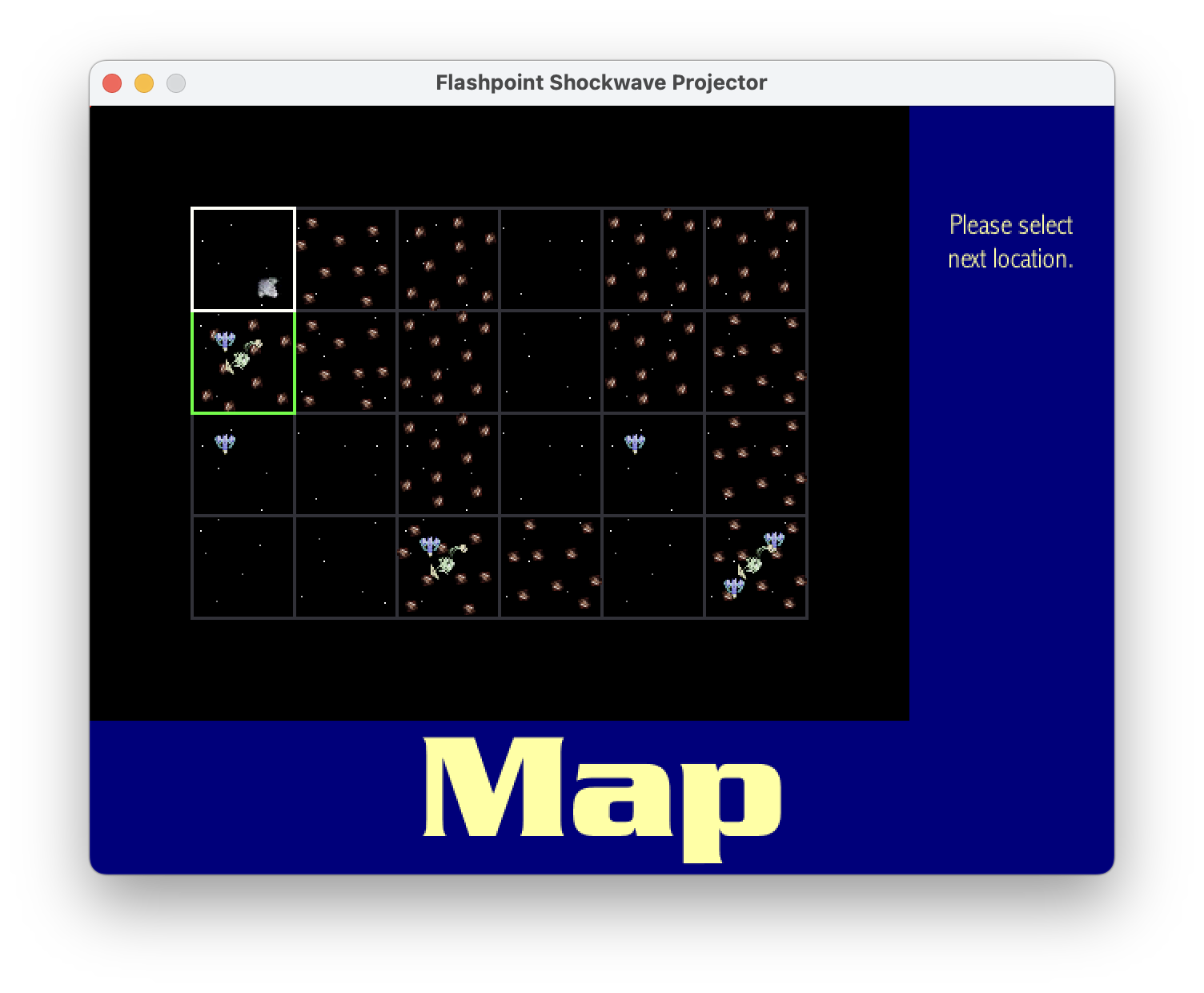
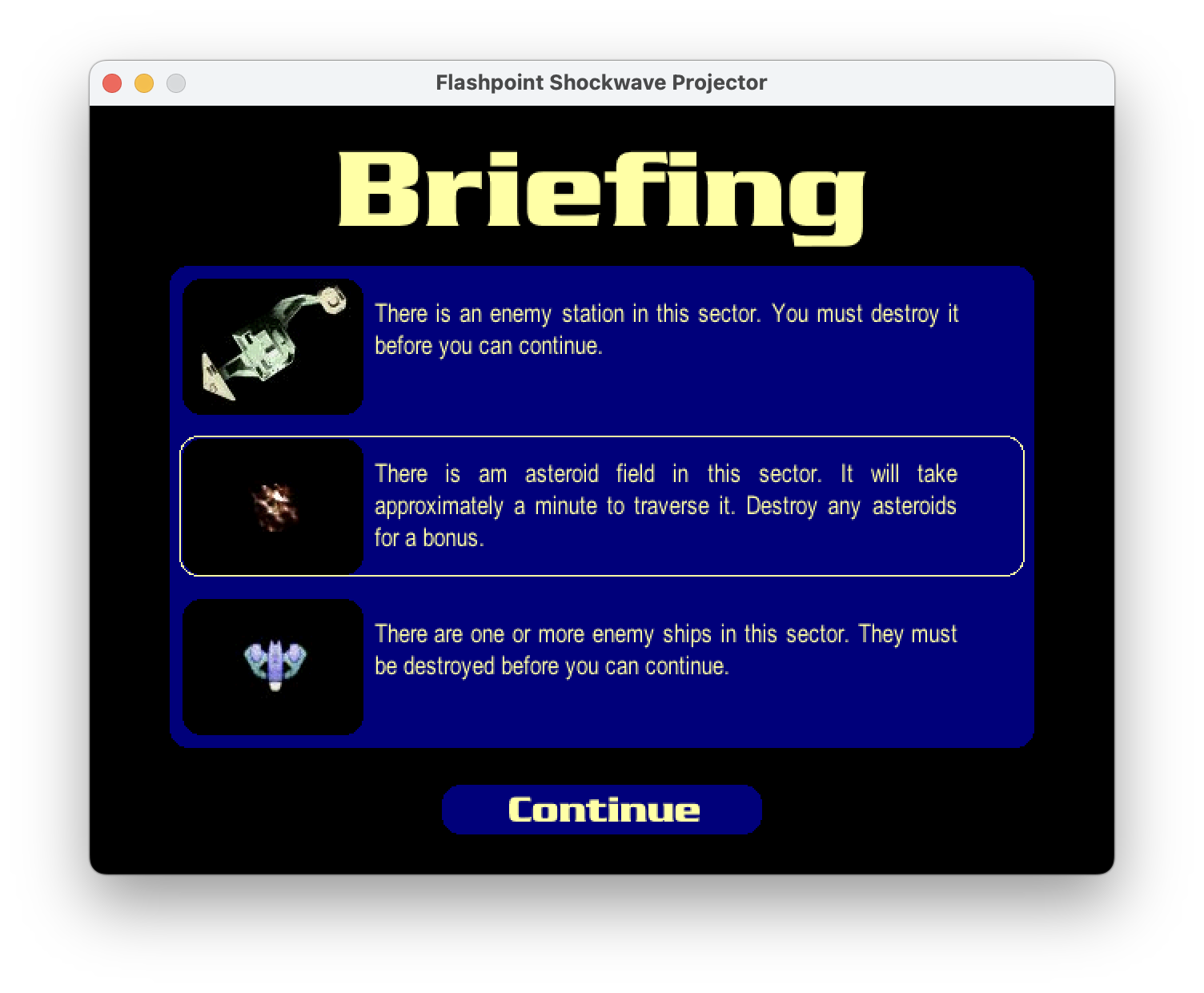
The game is split into multiple levels, connected by a map screen between each one where you choose your next destination. Starting in the top left, the goal is to reach the bottom right. Levels can be blank, or they can contain obstacles — either an asteroid belt you need to survive for a set time, a powerful enemy station that is shooting at you, or a pair of enemy ships to defeat. Any combination of those can appear in a single level, including all three at once.
Online features
Q War features two online features.
Maps
The map is loaded from the map.txt file along side the game file on the server. An example map.txt file:
Firstly, that format is the default way Lingo serialised an object. That is an array of four elements, each of which is an array of six strings.
I think the game technically predates JSON (Wikipedia says it was first specified in March 2001). It certainly predates JSON being widely used for anything. As such, Director and Lingo do not support JSON and instead use their own format. However, for string arrays, the syntax just happens to be the same.
Each string controls one map cell with the following rules:
If it contains an “a”, the level contains asteroids.
If it contains an “s”, the level contains a station.
If it contains a “1” the level contains one enemy ship.
If it contains a “2” the level contains two enemy ships.
It seems the order does not matter.
The map is also absolutely required to be exactly 6×4. It just uses direct indexing and would crash otherwise (I think technically it could be bigger without a problem).
The reason the map is loaded from a file is so I could provide multiple maps. In fact, I had it so the maps were generated by a PHP script:
First the layout of asteroids was chosen from four possible layouts. Then each cell had a random chance of also gaining ships and a station. Finally, the first cell is always blank, and the last cell has a station and two ships.
And astute readers may not the $rand == 5 and $rand == 6 cases duplicated. I only noticed this while writing this post.
High score table
The reason why the maps were variable is because it also had an online high score table.
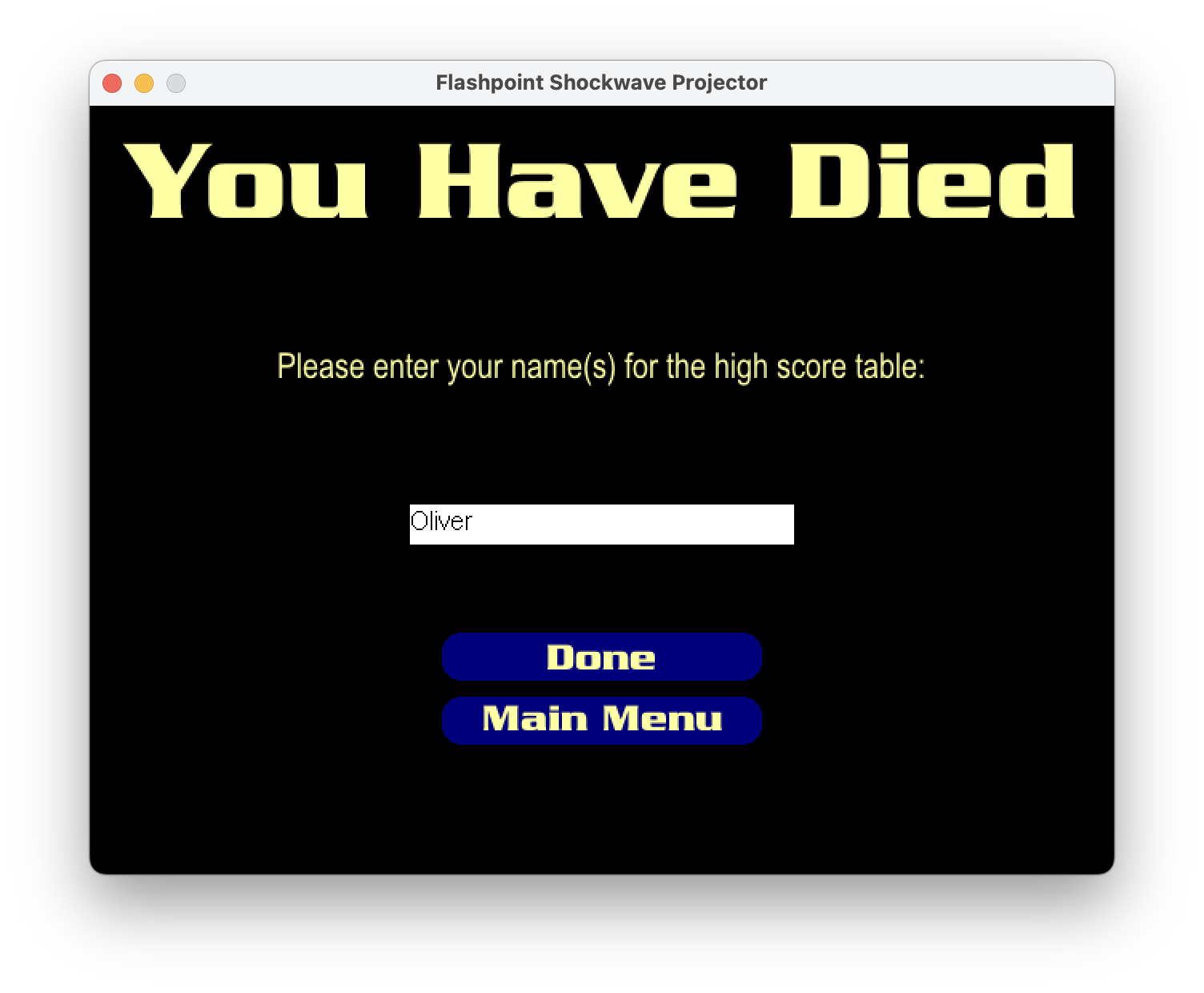
You could enter your name, and it would keep track of the high scores for the current map, including keeping solo and coop separate.
There were two different implementations of the high score server script, and considering the two shows some of my developing understanding of how to design systems (if not really any serious consideration of security).
Highscore server script version 1
<?phpinclude('../connect.php');if(!$mode){$mode="Single";}if(!$player){$player="<i>No Name Entered</i>";}if(!$score){$score=120;}if($score<1000){$score="0$score";}connect();$sql="SELECT * FROM qwar ORDER BY number DESC";$result=mysql_query($sql);$row=mysql_fetch_object($result);$num=$row->number;$sql="INSERT INTO qwar_".$mode."_".$num." VALUES('$player', $score)";$result=mysql_query($sql);print"Done\n";functioncheck(){connect();$sql="SELECT * FROM qwar ORDER BY number DESC";$result=mysql_query($sql);$row=mysql_fetch_object($result);$time=$row->time;$num=$row->number+1;if($time<time()){$time=$time+604800;$sql="INSERT INTO qwar VALUES($time, $num)";$result=mysql_query($sql);$sql="CREATE TABLE qwar_Coop_$num (name varchar(30) DEFAULT 'No name given', score smallint(5) unsigned DEFAULT '0')";$result=mysql_query($sql);$sql="CREATE TABLE qwar_Single_$num (name varchar(30) DEFAULT 'No name given', score smallint(5) unsigned DEFAULT '0')";$result=mysql_query($sql);createMap();}}?>
In the first version I hadn’t really got database design at all.
The check function was called periodically to check if a new map should be generated (probably as part of some other page load).
If 7 days (604,800 seconds) had passed I generated a new map and I created a new table for the new high scores (actually two tables; one for single and for coop) I also stored the number that was part of the name for the tables so I knew which tables to store scores in.
Other than that, I just stored the name and score into the relevant table. It relied on the amazing feature PHP had back then called register_globals which just dumped GET and POST values into variables with the same name.
This obviously meant you could just craft a very easy GET request to post whatever score you wanted. Oddly enough, I don’t think anyone actually did.
Highscore server script version 2
<?phpinclude('../connect.php');if(!$mode){$mode="Single";}if(!$player){$player="<i>No Name Entered</i>";}if(!$score){$score=120;}connect();$time=time();if($score<12000and$HTTP_SERVER_VARS["REMOTE_ADDR"]<>'80.137.161.246'){$sql="INSERT INTO qwar VALUES(NULL, '$player', $score, '$mode', '$time')";$result=mysql_query($sql);}print"Done\n";?>
For version two, some things are better. Firstly, the high scores are now in a single table with extra columns of mode and time.
And… that was it. Everything else was the same.
Except for some reason I was blocking high scores from one specific IP address. I cannot remember why. Maybe someone actually did try cheating?
I did actually make one extra addition a few years later. Another parameter that identified what website you were on so it was possible to host the game in different places with unique high score tables. I even blogged about it:
This game predates Galaxia, and as such it predates my online name “GalaxiaGuy”. Back then I used the name “Admiral Q”, a reference to the STCCG card Military Privilege which includes the quote: “Starfleet Admiral Q at your service!”
As such, I naturally named everything with a “Q”.
There are a few old posts on this blog mentioning Q War. Notably, my 2004 references spell it “QWar” rather than “Q War”. This is obviously wrong since the title screen clearly renders it as two words, but apparently past me was less bothered about such consistency.
Graphics
Unlike Supremacy, the graphics are “original”. And by original, I mean I didn’t just get them from the Lingo book and conceived of them myself. In reality they are lovingly based on existing Star Trek material.
Player ships
Player 1Player 2
The player ship is the Bajoran Raider from Star Trek: Deep Space Nine. Weirdly, the original has a pair of struts connecting to the wings, but I’ve filled in the gap in the middle essentially making the wings wider.
I also added a tint to the ship which is blue and green for player one, and red and yellow for player two.
I would later reuse the ship graphic for Gravitas.
Enemy ships
Working this out took some time.
As a small aside I would like to call attention to the excellent Star Trek website Ex Astris Scientia by Bernard Schneider. In this case his Starship Gallery was an invaluable resource without which I would not have found the source of this ship.
The enemy ships are Vidiian ships, specifically the “Vidiian ship 3” from that link.
Possibly to introduce a bit more colour to the game, or maybe just to hide the source, I drastically changed the colour from the original brick red to the weird lilac cyan combo.
Enemy station
The space station is the Renegade Borg Ship from the Star Trek: The Next Generation episode Descent (the one with Lore and Hugh).
The only change I made was to make it green.
And honestly, I’ve always thought this shape makes much more sense as a station than a ship.
Asteroids
The asteroids actually are completely original creations I made in Paint Shop Pro 5, and for whatever reason I remember exactly how I made them.
Generate some random noise.
Apply Gaussian blur.
“Cut out” an asteroid outline.
Apply a circular gradient to add shadow.
Colourise.
Fonts
The main title and menu font is Trek Generation 1, which continues my theme of using Star Trek fonts in Shockwave games.
In this specific case, it was a surprise to me. For as long as I can remember I thought I’d used Copperplate Goth Bold (which does look similar) but when I actually explored the original source, I was wrong.
Like Supremacy, some time after the initial release, I added the message “Brought to you by Galaxia”. Galaxia being another game I developed.
The future
Once DirPlayer has better support for my games, one of my goals is to recreate the Shocklive! site complete with both Supremacy and Q War. This would include a new, safer high score system to replace the original.
— This upcoming video may not be available to view yet.
Sharing a name with someone is usually unremarkable. Sharing it with the plaintiff in a landmark Supreme Court case is rather less so. I have Googled myself since before Google was even a thing, so I have known about Oliver Leon Brown for a while.
Oliver Leon Brown
Oliver Leon Brown was a welder and part-time minister in Topeka, Kansas. In 1950, the local NAACP recruited him as one of thirteen parents to sue the Topeka Board of Education over racial segregation in the city’s public elementary schools. His daughter Linda was among the children denied entry to the nearest white school.
The case made its way to the Supreme Court, consolidated with four similar cases from other states. Brown happened to be first alphabetically, so it became Oliver L. Brown et al. v. the Board of Education of Topeka.
The former Monroe Elementary School, Topeka, Kansas (now a National Historic Site). Photo by Midwest National Parks, CC BY 2.0.
The decision
Eventually the court ruled unanimously on 17 May 1954 in favour of the plaintiffs, overturning the “separate but equal” doctrine established by Plessy v. Ferguson in 1896, holding that racially separate schools were inherently unequal and unconstitutional.
The Monroe School
The Monroe Elementary School, one of the four segregated Black schools and Linda Brown’s own, is now the Brown v. Board of Education National Historic Site. Oliver’s family founded the Brown Foundation in 1988 to preserve the case’s legacy.
Finding a historical figure who shares your name is not particularly surprising (especially with my surname). Finding one whose name is on a case that changed American constitutional law is. If I ever find myself in Topeka, I will certainly visit the historic site.
— This upcoming video may not be available to view yet.
9o3o is a web-based version of Flashpoint Archive which provides a way to play old browser content without installing anything locally.
It has long had support for Flash content via Ruffle but has recently added support for DirPlayer, which means Shockwave content is now playable through it.
— This upcoming video may not be available to view yet.
When I was born, “Oliver” was quite an uncommon name. I was the first one my primary school had. And even though “Brown” is a common name, the combination is still pretty rare. But not unique.
The popularity of “Oliver” has drastically increased. It has been the number one name for boys born in the UK several years recently. This has been a bit strange for me since I spent most of my life never being around other people with my name. This is obviously still true for adults, but as a parent who now spends time in playgrounds, hearing other people call “my” name is still strange.
For a long time that meant I ruled the web with regard to the name. But since then several others have cropped up.
The most prominent is Oliver Brown London, a bespoke tailor based, you guessed it, in London.
The brand has apparently been around since 1980 (older than me), and is not actually named after a real person, but named after the owner’s dog, who was called “Oliver” and was brown.
I have never visited, though I probably will if I ever get the chance. I did actually have a chance that I missed; the first shop was in Chelsea, where I used to work but I hadn’t heard of them at the time.
I would hope the staff would find that reason for a visit acceptable. I honestly don’t think I would ever be a customer, not least because they seem outside of my price range. Their whole approach reminds me of a quote from the Discworld book Maskerade about a dress shop:
This was not a shop where things were bought. This was an emporium where you had a cup of coffee and a chat. Possibly, as a result of that muted conversation, four or five yards of exquisite fabric would change ownership in some ethereal way, and yet nothing so crass as trade would have taken place.
Although suits are probably their biggest trade, they seem to have top hats as a speciality. They claim to have the largest collection of antique top hats and were initially the only company allowed to sell top hats within Royal Ascot.
— This upcoming video may not be available to view yet.
I used to post a lot about TV and Sky in particular. It was mainly about options around having a home media centre. The commercial options around this have improved (things like the Apple TV and streaming) and the DIY options have become less interesting to talk about.
So it is nice to have something relevant to say again…
Disney+ now included
Disney+ has been available as an app on Sky for a while, but recently they announced it would be included with your Sky subscription. I don’t have a Sky subscription myself, though my dad does. I have my own Disney+ account. I’d previously logged into Disney+ on his Sky TV box.
When he heard about Disney being included, he launched the app, which was still signed in to my Disney+ account. It then automatically connected his Sky account to my Disney account. I had to contact Disney+ support to disconnect them.
It’s probably a good thing to make the account management so seamless, but in this case it caused problems. One thing I would say is the support experience to get it fixed was actually good. I contacted them at about 20:30 on a Saturday, there was no difficulty in explaining the issue and it was all resolved in about fifteen minutes.